Your scripts, with your boat's details already in them.
Read it out loud
Slowly. Clearly. Repeat until someone answers.
If your radio has a red DSC button, press it first. Lift the cover, hold it down for five seconds until it beeps and confirms. That sends your identity and position automatically. Then pick up the mic and read the script below on Channel 16.
No red button? Many handhelds do not have one. Go straight to the voice call on Channel 16, and read your position off the chartplotter or use the button below.
Position not set. Read your latitude and longitude off the chartplotter instead.
Grave and immediate danger
Mayday
Life or vessel is in immediate danger. Sinking, fire, someone overboard, serious injury.
Mayday, Mayday, Mayday.This is your boat name, your boat name, your boat name.Call sign call sign. M M S I MMSI number.Maydayyour boat name.My position is latitude and longitude.I am say what is wrong.I require immediate assistance.number persons on board.describe your boat.Over.
If nobody answers, wait a few seconds and say it all again.
Stay on Channel 16. Do not switch unless the Coast Guard asks you to.
Keep the radio on even if you are also on the phone.
Urgent, but not life threatening
Pan-Pan
Something is wrong and you need help, but nobody is in immediate danger. Engine failure, drifting, taking on a little water.
Pan-Pan, Pan-Pan, Pan-Pan.All stations, all stations, all stations.This is your boat name, your boat name, your boat name.Call sign call sign. M M S I MMSI number.My position is latitude and longitude.I am say what is wrong.I request say what you need.number persons on board.describe your boat.Over.
If it gets worse and life becomes threatened, upgrade to a Mayday. Nobody will criticise you for it.
Details showing as placeholders? Save your boat details and they will be written in for you.
Your boat's details
Enter these once. They stay on this phone and get written into every script.
On your FCC ship station licence, if you have one.
Nine digits. Programmed into your radio. If it is not programmed, DSC will not work.
What a searching helicopter would look for.
Update this before every trip. It decides how many people they look for.
Saved. Your scripts are ready.
The red button
Every modern VHF has a red DSC distress button under a spring cover. It is the single most useful thing on your boat in an emergency, and most owners have never touched it.
Held down for five seconds, it transmits your MMSI and your position to the Coast Guard and every DSC radio in range, automatically, without you saying a word.
Lift the red cover.
Press and hold. Do not tap it. Hold until it beeps and the screen confirms it has sent.
Pick up the mic and make your voice Mayday on Channel 16.
It only works if your MMSI is programmed in. On most radios you get one attempt at entering it, then it is locked. If you bought the boat used, the MMSI may still belong to the last owner. Worth checking today, not on the day you need it.
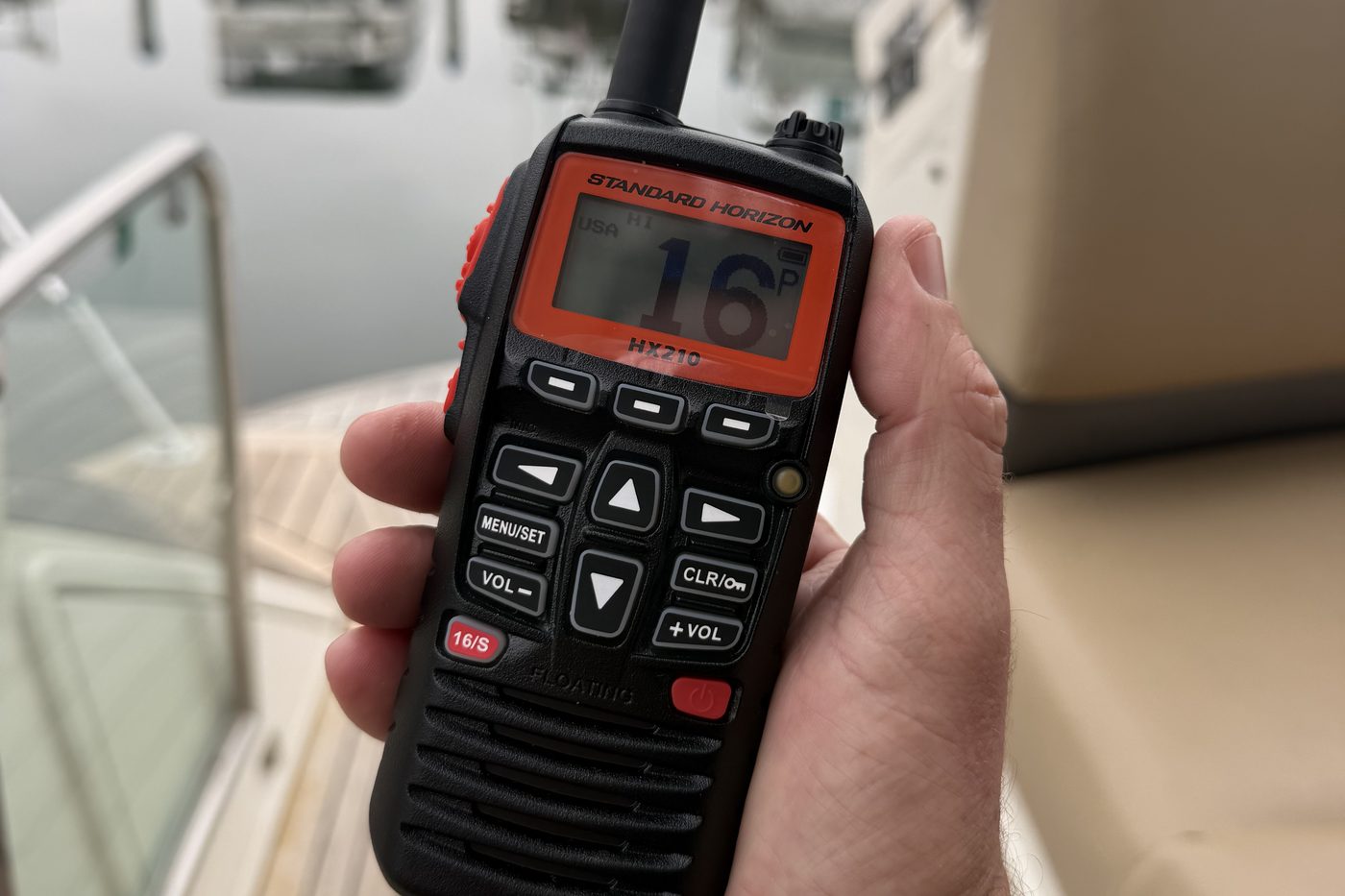
Not every radio has DSC. Plenty of handhelds, including the Standard Horizon HX210 in the photo at the top of this page, have no distress button and no MMSI at all. That is not a fault, it is just what you bought. Know which of your radios can send a DSC alert and which cannot, before you need to know.
Worth knowing too: a handheld puts out a fraction of the power of your fixed set, and the antenna is a metre off the water instead of up high. Your fixed radio is the one that gets heard. The handheld is the backup you take into the liferaft.
Sécurité
Said "say-cur-i-tay". A safety message. You are not in trouble, you are telling everyone else about something that affects their safety. A log in the channel, a vessel adrift, or your own movement in restricted visibility.
Safety message
Sécurité, Sécurité, Sécurité.All stations, all stations, all stations.This is your boat name, your boat name, your boat name.Listen on Channel working channel.Out.
Make the announcement on 16, then switch to a working channel and give the detail there.
Radio checks
Never do a radio check on Channel 16. It is the distress and calling channel. Use Channel 9, or a working channel like 68 or 72.
On Channel 9 or a working channel
Radio check, radio check.This is your boat name, your boat name.How do you read me? Over.
Do one every time you leave the dock. It takes ten seconds and it is the only way to know the radio works before the day you need it. A radio that receives is not proof that it transmits.
The channels that matter
Ch
What it is for
16
Distress, safety and calling. Monitor it whenever you are underway. Not for conversation.
09
Calling channel for recreational boats. Radio checks. Keeps 16 clear.
13
Bridge to bridge navigation. Talk to ships and tugs about passing arrangements. Low power.
22A
Coast Guard working channel. They will move you here after contact on 16. Safety broadcasts.
70
DSC data only. Never speak on 70. Your radio uses it in the background.
68, 69, 71, 72
Recreational working channels. Move here for a normal conversation. 72 is boat to boat only.
WX1–WX7
Continuous NOAA weather broadcast. Receive only.
Port and traffic channels vary by harbour. Check the local channel for your own bay and add it to your list.
The three calls
Said three times each so nobody mishears which one it is.
Mayday
Grave and immediate danger to life or vessel. Sinking, fire, person overboard, serious injury.
Pan-Pan
Urgent, but nobody's life is threatened. Engine failure, drifting, steering gone.
Sécurité
Safety information for other vessels. Hazards, movements, visibility.
If you are not sure whether it is a Mayday or a Pan-Pan, make the call anyway and let the Coast Guard decide. Hesitating costs more than getting the label wrong.